
Poppy Ergo Jr
 B
B✓ リンク確認済み Jul 19, 2026
インストールするには登録してくださいこのプログラムについて
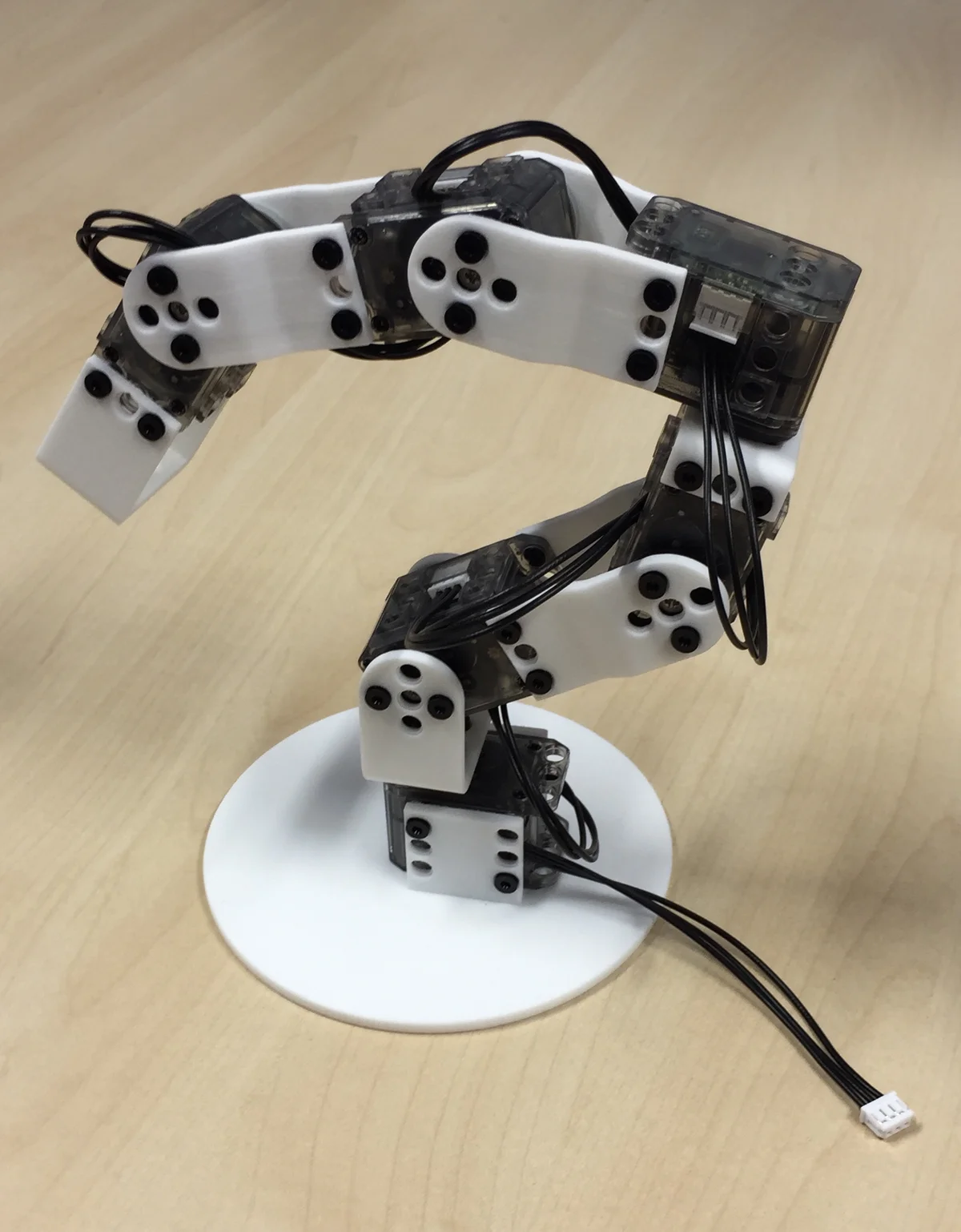
Poppy Ergo Jr is a 6-DOF desktop robot arm from the Poppy Project — an open-source robotics platform developed at Inria's Flowers team for education, research, and artistic practice. Ergo Jr is the most accessible member of the Poppy family: small, inexpensive, fully 3D-printable, and built around Robotis XL-320 smart servos that make hands-on motion tasks as simple as writing "motor.goal_position = 90".
The arm is designed to teach robotics and programming concepts to students at the middle-school and undergraduate level. Primitives like "dance" and "jump" are built-in, and the included three interchangeable end-effectors (lampshade, two-finger gripper, pen holder) allow the same hardware to be used for expressive performance, pick-and-place, or drawing. Its compliant mode (torque-off) lets a human back-drive the arm to teach trajectories by demonstration — a natural introduction to learning-from-demonstration and human-in-the-loop robotics.
Software-wise, Poppy Ergo Jr ships with pypot (a Python library for controlling Dynamixel smart servos), a Jupyter-based notebook UI, and an optional web dashboard. It runs on a Raspberry Pi connected to the Dynamixel bus via a USB-to-TTL adapter (the "usb2ax" or "usb2dynamixel" board). The whole stack is pedagogically designed for drop-in classroom use — plug in power, connect over Wi-Fi, launch a notebook.
This program exposes cloud-side controls for rest posture, compliant-mode toggle, primitive playback (dance, jump), per-joint target angles with configurable duration, and demonstration record/replay. The Raspberry Pi onboard the arm acts as the bridge from the orobot cloud to the Dynamixel bus via pypot.
Credit to the Poppy Project community and Inria Flowers team (poppy-project.org) — upstream repository at https://github.com/poppy-project/poppy-ergo-jr. Hardware under Creative Commons Attribution-ShareAlike 4.0; software under GPLv3. Share-alike requires derivative hardware designs to be published under the same CC-BY-SA-4.0 license.
🖨 印刷ファイル (10)
base.stl
horn2horn.stl
4dofs-horn2horn.stl
4dofs-side2side.stl
side2side.stl
long_U.stl
必要なハードウェア
| Component | Qty | Notes |
|---|---|---|
| Robotis Dynamixel XL-320 servo | 6 | All joint actuation |
| Pixl board | 1 | XL-320 motor controller for Raspberry Pi |
| Raspberry Pi 2 or 3 | 1 | Main computer |
| Micro SD card (8GB+) | 1 | OS and software |
| Raspberry Pi camera | 1 | Optional, for vision tasks |
| AC power supply (7.5V, 2A) | 1 | 2.1×5.5×9.5mm jack |
| Short ethernet cable | 1 | Pi to Pixl connection |
| OLLO rivet set | 1 | ~70 colored + 4 grey rivets |
| OLLO assembly tool | 1 | Required for rivet installation |
| M2.5×6mm screws | 4 | Board mounting |
| M2×5mm screws | 4 | Joint hardware |
| M2 nuts | 4 | Joint hardware |
| M2.5 male/female standoff (10mm) | 1 | Board spacing |
似たロボットを探す