Turret Face Tracker
 O
OAbout this program
Turret Face Tracker — An ESP32 Head That Watches You Back
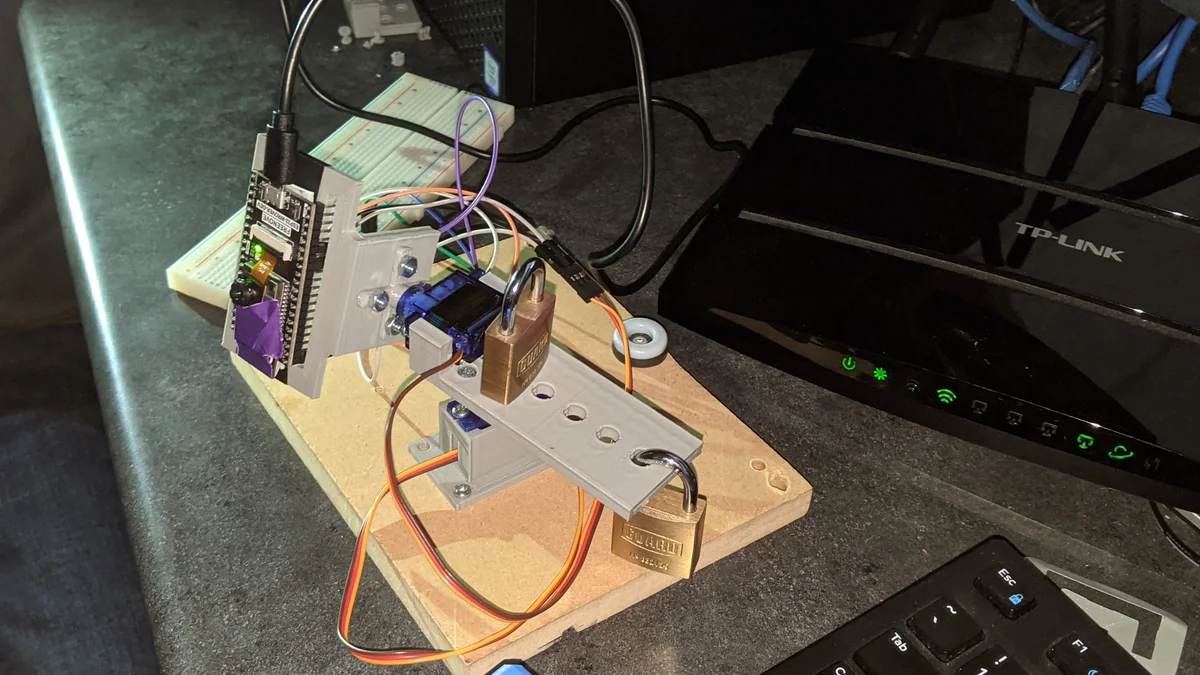
A two-servo pan/tilt turret with an onboard ESP32-Wrover camera that detects a face in its own video frame and turns to keep it centered — no laptop, no external vision server, no cloud inference. Camera capture, face detection, and the proportional pan/tilt control loop all run on the microcontroller itself. Point it at a desk, connect to its local WiFi web UI, click "Start Stream," and it starts hunting for your face.
Built for a high-school computer-technology class (TEJ) by Rylan Hachey, Ashish Agrahari, and Noah Raymond, using the stock ESP32 camera example's face-detection pipeline as the vision core.
How It Works
- An ESP32-Wrover module (PSRAM required — needed for the frame buffer that face detection runs against) hosts its own WiFi access point and a browser-based camera viewer.
- Enabling "Face Detection" in that viewer draws a box around any face in frame and exposes its
x,y,width,heightthrough the sketch. - The main loop maps the face box's offset from center into pan/tilt servo angles (
map()from pixel offset to ±90°), moving two SG90-class micro servos on 3D-printed brackets. - If no face is seen for ~500 loop iterations, it drops into a search mode: sweeping pan back and forth and stepping tilt, until a face reappears.
Build Overview
- Compute + camera: ESP32-Wrover dev board (Freenove or similar, PSRAM required for face detection)
- Actuators: 2x SG90-class micro servos — pan (pin 12) and tilt (pin 13)
- Structure: 3D-printed camera mount, pan bracket, and tilt bracket (originally modeled in Autodesk Inventor; STLs included)
- Firmware: Arduino IDE sketch (
ESP32_FaceTrackingV5), built on Espressif'sesp_camera+ESP32Servolibraries
Wiring
- PAN servo signal → ESP32 pin 12
- TILT servo signal → ESP32 pin 13
- Both servos' power → ESP32 VCC
- Both servos' ground → ESP32 GND
Flashing the Firmware
- Install ESP32 board support in the Arduino IDE (setup guide).
- Board: ESP32 Wrover Module. Partition Scheme: Huge APP (3MB No OTA/1MB SPIFFS).
- Set your WiFi SSID/password in the sketch, upload to the board.
- Find the board's IP (Serial Monitor, or your router's client list) and open it in a browser.
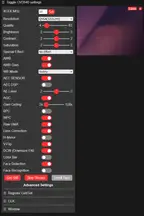
- Click Start Stream, set XCLK = 10MHz, enable V-Flip, Resolution = QVGA (320x240), WB Mode = Sunny, then enable Face Detection.
- Sit in frame — the turret should start tracking your face.
Note on orobot Control
This build's face-tracking loop is entirely self-hosted on the ESP32 — it does not speak the orobot device protocol, so full closed-loop autonomous tracking happens on the board itself, reachable through its own local web UI rather than through orobot.io. The control interface on this page is a learning stub: a simplified pan/tilt joystick/pose demo using the same 2-servo shape, so you can explore the orobot Program IDE API alongside the original firmware. Flash the linked Arduino sketch to your ESP32-Wrover for the actual closed-loop face-tracking behavior shown in the photos.
Attribution & License
- Creators: Rylan Hachey, Ashish Agrahari, Noah Raymond (FHCI, TEJ Computer Technology class)
- Source repository: github.com/AshishA26/Turret-Face-Tracker
- License: No license file is published in the source repository (defaults to all-rights-reserved under GitHub's terms) — this Program links to and credits the original source rather than redistributing it under an open license. 3D-printed parts (STL) are mirrored here for convenience with full attribution; consult the original authors before commercial reuse.
🖨 Print Files (4)
ServoESP32V3Arm.stl
ServoESP32_V2_LBracket.stl
ServoESP32_V3Base.stl
ServoESP32_V3_Tilt.stl
Required Hardware
| Item | Qty | Est. Cost | Notes |
|---|---|---|---|
| ESP32-Wrover dev board (w/ camera) | 1 | $20-25 | PSRAM required for on-device face detection |
| SG90-class micro servo | 2 | $3-5 each | Pan (pin 12) + tilt (pin 13) |
| 3D-printed mount + pan/tilt brackets | 1 set | filament only | STL included, originally Autodesk Inventor |
| Breadboard + jumper wires | 1 | $5-10 | Power + servo signal wiring |
| Micro-USB cable | 1 | $3 | Flashing + power |