OpenFlexure Microscope
 B
B✓ Links überprüft Oct 9, 2026
Registrieren, um zu installierenÜber dieses Programm
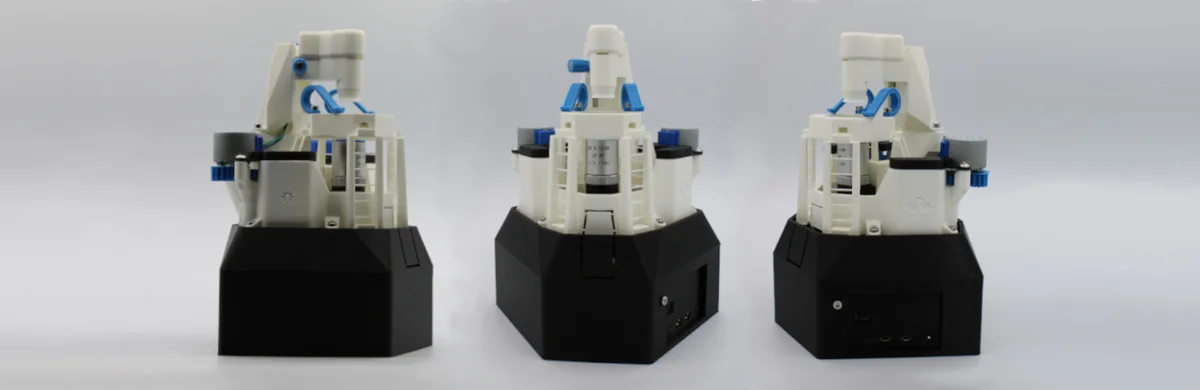
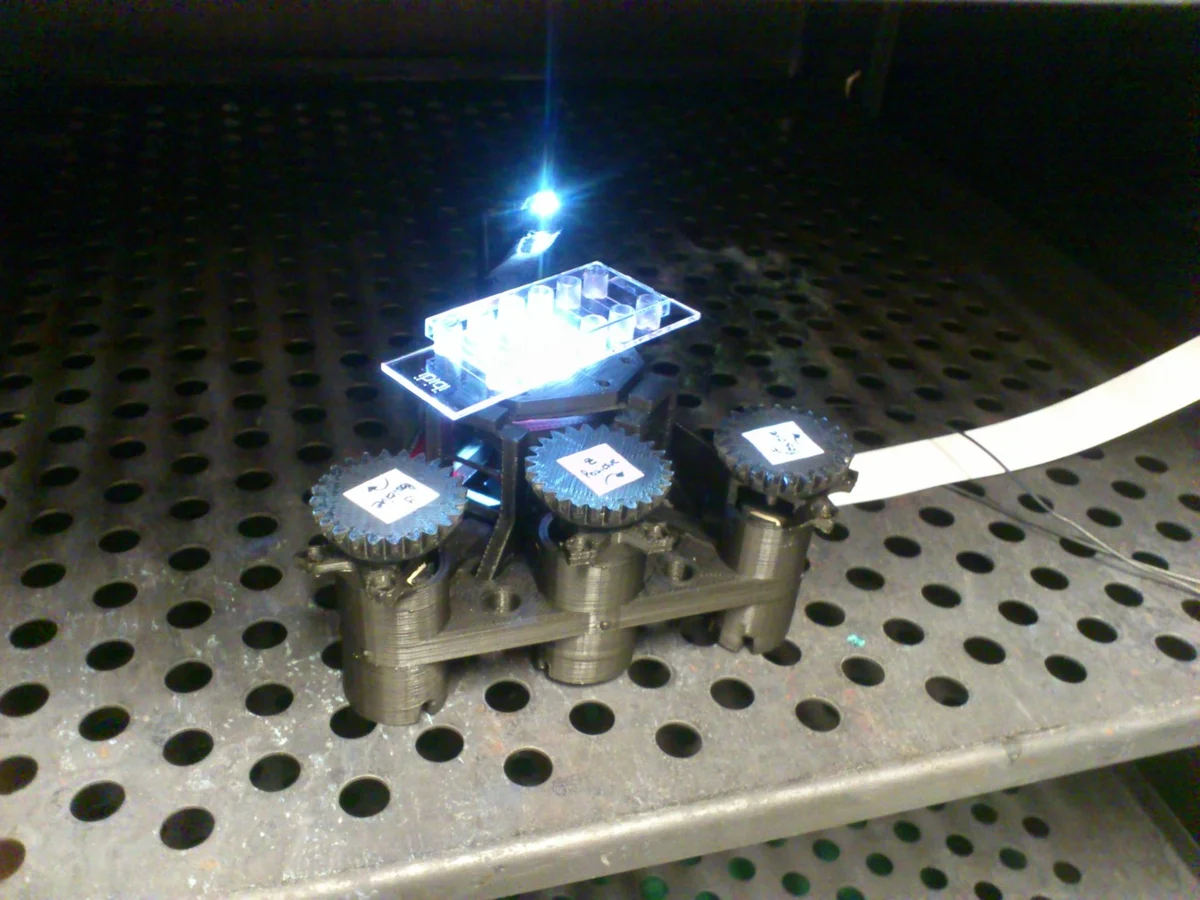
The OpenFlexure Microscope is a fully 3D-printable motorised laboratory-grade microscope built around a Raspberry Pi and Pi Camera. Its mechanical stage uses plastic flexures — zero friction, zero play — giving sub-100 nanometre XYZ positioning that holds steady within micrometers for days. Print the body, add a Raspberry Pi, three 28BYJ-48 steppers, and your choice of optics, and you have a remote-controllable scientific instrument.
Used in active research and education across 50+ countries. Published in Biomedical Optics Express. Funded by NGI0 Commons Fund (2024-2026). Presented at FOSDEM 2025.
Two builds:
- Webcam build: Pi Camera lens only; ~2 um resolution; ~$80-120 total. Great for classrooms.
- High-resolution build: Standard RMS-threaded objective + tube lens; research grade. ~$150-250.
Browser control with orobot: Connect a Raspberry Pi running orobot firmware, add the Sangaboard Arduino Nano motor controller, then use this program to move the XYZ stage and focus from any browser.
Honest expectations: The XYZ/focus stage is wired to the Pi via the Sangaboard. orobot firmware handles GPIO-based stepper commands. This program provides the stage-control interface; live camera feed would require streaming the Pi Camera separately (RTSP or WebRTC — not built into orobot v1).
Attribution: OpenFlexure Microscope by Richard Bowman and the OpenFlexure team at the University of Bath and Tanzania (Bath Open Instrumentation Group / STICLab). GitLab: https://gitlab.com/openflexure/openflexure-microscope
License: Hardware design CC BY-SA 4.0 (https://creativecommons.org/licenses/by-sa/4.0/). You must attribute the original creators and share derivative hardware under the same license. STLs included are from the v5.20 release under the same CC BY-SA 4.0 terms.
Community: https://openflexure.org | Forum: https://openflexure.discourse.group
🖨 Druckdateien (12)
main_body_LS65-M.stl
feet.stl
gears.stl
microscope_stand.stl
condenser.stl
illumination_dovetail.stl
sample_clips.stl
optics_picamera_2_rms_f50d13_LS65.stl
camera_platform_picamera_2_LS65.stl
motor_driver_case.stl
small_gears.stl
sample_riser_LS10.stl
Benötigte Hardware
| Item | Qty | Est. Cost | Notes |
|---|---|---|---|
| Raspberry Pi 4B (or 3B+) | 1 | $35-55 | Any Pi with 40-pin GPIO |
| Raspberry Pi Camera Module v2 | 1 | $25 | v1 also works |
| USB-C power supply (Pi 4) | 1 | $10 | Official Pi supply recommended |
| MicroSD card 16GB+ (A1/A2) | 1 | $8 | A2 rating improves OS responsiveness |
| 28BYJ-48 stepper motors (5V) | 3 | $3 each | Standard micro geared steppers |
| Sangaboard motor controller | 1 | ~$5 DIY / $20 kit | Arduino Nano + ULN2003 drivers |
| M3 hex bolt full thread 25mm SS | 3 | $0.50 | Actuator drive screws |
| M3 brass nut | 3 | $0.20 | Required brass (not steel) |
| M3 SS washer | 8 | $0.05 each | |
| M3 8mm cap head screws | 3-14 | $0.10 each | Sample clips, optics, stand |
| M2 6mm cap head screws | 2-4 | $0.10 each | Camera board attachment |
| M4 6mm button head screws | 6 | $0.10 each | Motor attachment |
| 5mm warm white LED | 1 | $0.20 | Illumination |
| 150 Ohm resistor | 1 | $0.05 | LED current limiter |
| PLA filament | ~200g | $4-6 | No support needed; 0.2mm layers |
| RMS microscope objective (high-res) | 1 | $20-80 | 4x-40x; 45mm parfocal from AliExpress |
| 12.7mm dia 50mm FL achromatic lens (high-res) | 1 | $15-25 | ThorLabs AC127-050-A or generic |
| 13mm dia 5mm FL PMMA condenser lens (high-res) | 1 | $2 | LED lens sold in bulk |
Ähnliche Roboter entdecken