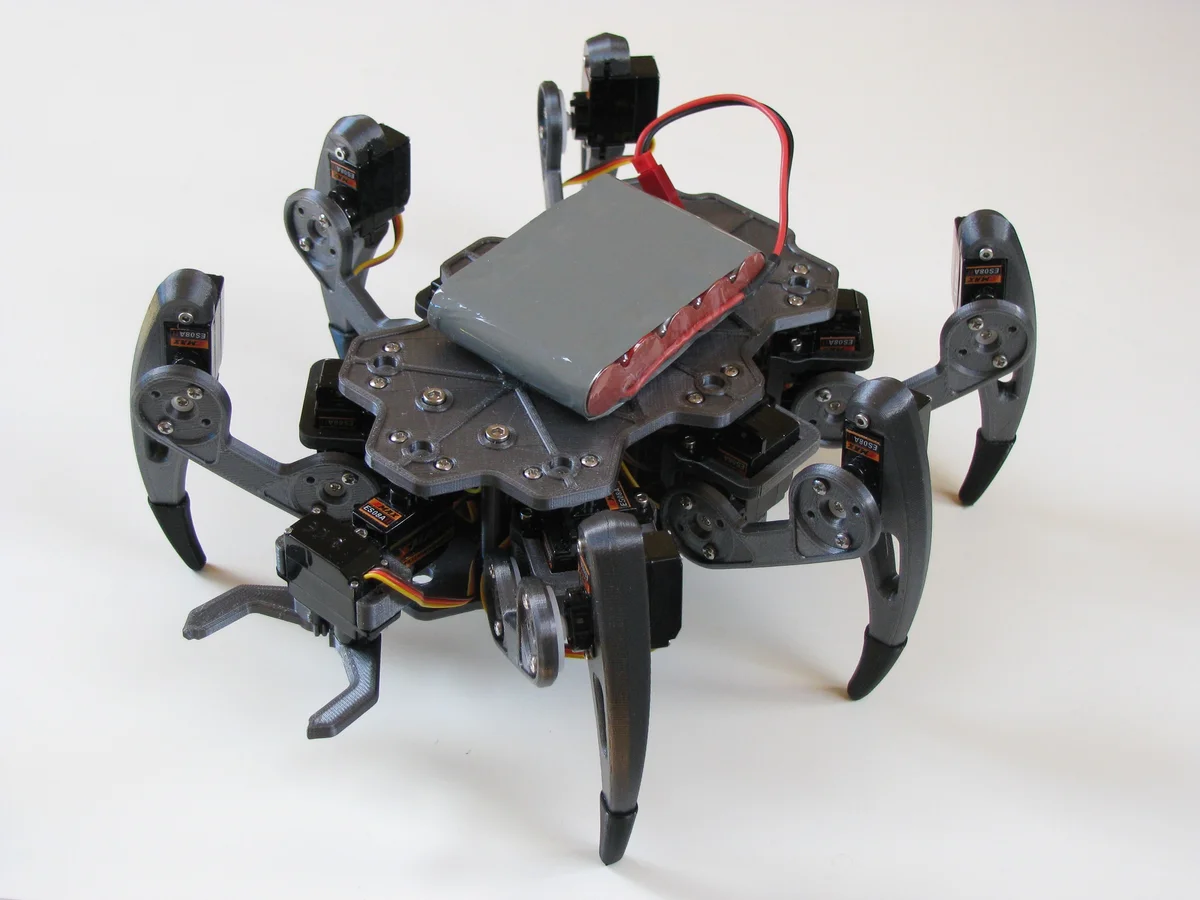
ZeroBug Hexapod
 B
B✓ Confirmed fresh May 19, 2026
Sign up to InstallAbout this program
ZeroBug is a 3D-printed micro-servo hexapod from Maximilian Kern (CoretechR), designed as a compact, low-cost teaching platform for inverse kinematics, gait generation, and embedded locomotion control. Eighteen SG90-class hobby servos (three per leg) give the robot the full coxa-femur-tibia kinematic chain needed for smooth, 3D body pose control — the same degree-of-freedom layout used by commercial research hexapods at a fraction of the cost.
The control architecture is the interesting bit. A Raspberry Pi Zero acts as the high-level brain and user-interface host: it serves a web dashboard (joystick, keyboard, multitouch, Bluetooth gamepad inputs) and streams MJPEG video from the Pi camera. An STM32F103 ("Blue Pill") board handles the real-time dirty work — inverse kinematics for all 6 legs, tripod/wave gait generation, and the 18 servo PWM channels — because running those loops reliably on Linux is a losing battle. The Pi and STM32 communicate over UART with a simple framed protocol. This "dumb but real-time microcontroller + smart but latency-tolerant SBC" pattern is a great template for any Pi-based locomotion robot.
The included front 2-finger gripper makes ZeroBug unusual among hobby hexapods — most are pure walkers, but ZeroBug can actually pick up objects. This opens up simple mobile-manipulation demos: walk to a target, pose-align the body, grab, carry, release.
This program exposes cloud-side locomotion endpoints (directional walk with speed, yaw turn, full 6-DOF body pose, wave animation, gripper open/close, emergency stop) that relay to the Pi Zero's web backend over WebSocket, which in turn commands the STM32 over UART.
Credit to Maximilian Kern (CoretechR) — upstream repository at https://github.com/CoretechR/ZeroBug under GNU GPLv3. Full build log at coretecrobotics.de.
🖨 Print Files (10)
Body Top.stl
Body Bot.stl
Coxa.stl
femur.stl
Tibia.stl
Sock.stl
Required Hardware
| Item | Qty | Unit Cost | Notes |
|---|---|---|---|
| Raspberry Pi Zero W (or 2W) | 1 | $20.00 | High-level controller, video streaming |
| STM32F103 "Blue Pill" board | 1 | $5.00 | Servo PWM controller |
| MG90S micro servo (metal gear) | 18 | $5.00 | (inferred) 6 legs × 3 DOF |
| Raspberry Pi Camera Module v2 | 1 | $25.00 | (inferred) Front-mounted vision |
| 2S 7.4V LiPo battery 1500mAh | 1 | $18.00 | (inferred) Onboard power |
| 5V buck converter (5A) | 1 | $8.00 | (inferred) Servo and Pi rail |
| Custom PCB / perfboard | 1 | $10.00 | (inferred) Carrier for STM32 + power |
| RPi camera ribbon cable (Zero variant) | 1 | $4.00 | (inferred) Required for Pi Zero camera |
| MicroSD card 16GB | 1 | $7.00 | (inferred) Pi OS storage |
| Servo extension wires 3-pin 15cm | 18 | $0.50 | (inferred) Leg wiring |
| M2 / M3 screw and nut kit | 1 | $12.00 | (inferred) Frame assembly |
| XT60 connector pair | 1 | $3.00 | (inferred) Battery interface |